PRACTICE · ANIMATION & CINEMA · OCTOBER 24, 2026
How to create your own cartoon or film with AI
Your own cartoon starts with a hero recognizable in the next frame and a story you want to finish. We break down studio and festival author tools, character consistency, cinematic quality, and two paths: a first short work and a professional AI process. For 3D animators, there is a separate block on movement, posing, and edited scenes.
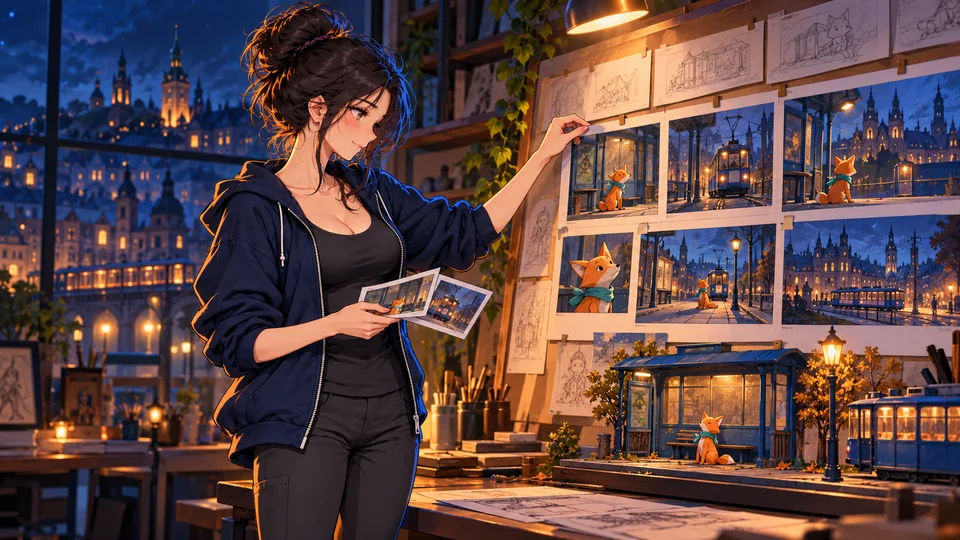
Generating a beautiful shot and making a film are different tasks
A hero enters a room. In the next shot, they have a different nose, the door has moved, and the cup has changed hands. Each clip may look expensive on its own. Together, the story falls apart.
That's why it's best to start with controlled shot sequencing: who acts, what they want, what changes, and how the viewer notices it. The generator helps obtain images and motion. Scripting, staging, shot selection, editing, and sound join them into a film.
And one more fundamental difference: video in a "3D cartoon" style is usually a finished moving image. It does not automatically provide a mesh, rig, skin, shaders, or animation keys for editing in 3D software. If a client needs a pose change in a specific frame or a different angle of the same scene, this must be built into the production method from the start.
Review method. Product references, primary company announcements, author credits, and festival websites were verified on October 24, 2026. Manufacturer advertising promises are not interpreted as independently measured quality. The educational fox story below is a fictional creation by the editorial team; we did not produce a finished film based on it.
What major studios are already doing — and how they create festival works
Lionsgate and Runway: a confirmed partnership, not "all of Hollywood at one button"
On June 11, 2026, the companies announced an expansion of their cooperation: Lionsgate acquired a stake in Runway, with plans for joint development of new projects, specifically in short episodic formats. The announcement mentioned previsualization, storyboarding, and working with final shots. This confirms a specific production direction but does not prove that any particular feature film by the studio was entirely generated. [1]
Netflix / Eyeline: generative AI within the VFX process
In October 2025, Netflix described the application of generative AI by the Eyeline team in a series The Eternaut. The publication concerns broader work with visual effects and production technologies; it does not reveal a universal public set of models. This does not imply that a subscription to any service will replicate a studio's internal process. [2]
Ukrainian example: Distance Between Two Points Of Me
The credits for the short film by Illia Dutsyk and HOLYWATER list Runway, Midjourney, Kling, Stable Diffusion, Sora, Flux, and Luma. Alongside them are the editor, art director, AI-generalist, composer, and voice actress. This is a historical list of the 2025 toolkit, without attributing today's versions to them. The official AIFF 2025 program confirms the Honoree distinction; duration — 2 minutes 27 seconds. A useful takeaway for your own film: different tasks may require different tools, while voice and music can remain authored. [3] [4]
Current festival snapshot: 2026
On the official Runway AIF 2026 Grand Prix website, noted for A Face Only A Mother Could Love Robert Gaudette, Gold — for THE WELL the duo Dorian & Daniel. BIFAN 2026 names the best AI film Cornered Odaira Falek and Davi Murri. Awards are confirmed by the festivals themselves. Tools from separate production descriptions are provided in the following table; for THE WELL, we do not attribute an unknown set here. [5] [6]
Specifically: which AIs were used to make the 2026 short films
These are declared toolsets for specific works from the Reply organizer's announcement and author portfolios. The list does not disclose every operation or model version and is not a quality ranking.
| Work and authors | Festival / year | Which AIs are specified |
|---|---|---|
| A Face Only A Mother Could Love · Robert Gaudette | AIF 2026 Grand Prix; Reply AIFF 2026 finalist | Grok, Nano Banana, Seedance — per Reply description [5] [41] |
| Le Drip · Alex Naghavi, Ezra Li | Reply AIFF 2026 finalist; painterly animation | Primarily Flora; also Nano Banana, Claude, Seedance, Runway [41] |
| Passenger · Yuanbo Song | Reply AIFF 2026 finalist | Runway Gen-4.5, Higgsfield, Seedance 2.0, Kling 3.0 [41] |
| Sinuca de Bico (Cornered) · Odair Faléco, Davi Moori | BIFAN 2026 Best AI Film | Kling, Seedance, Nano Banana, Runway — per the author's page on Diffuse [6] [42] |
What to take for yourself: for images and scenes, authors use several environments, and for motion, they may combine different generators. Artistic animation can be built through approved frames and a shared style; a large-scale scene can be broken down into separate shots. Check the specific distribution of roles between services in the author's making-of, rather than inferring it solely from a list of logos.
Reply AI Film Festival is a separate competition in Venice. Its finale should not be called a selection for the main competition of the Venice Biennale Film Festival. This refers to the status from the finalist announcement on July 28, 2026, without attributing subsequent awards. [41]
There are also open process demonstrations from manufacturers: Google names Dave Clark, Henry Dobrez, and Juni Lau among the filmmakers who worked with Flow and other tools and techniques. This is a source for studying approaches, not a confirmation of festival wins for these specific works. [7]
Three AI films worth watching before your own
This is a selection based on confirmed festival recognition, not a ranking by view count. Each work has its own purpose: a personal story, a character drama, or a visual essay. Full videos can be opened here or on YouTube; the author may change availability or embedding permissions.
UKRAINIAN WORK · AIFF 2025 HONOREE
Distance Between Two Points Of Me — Illya Dutsyk / HOLYWATER
Why in the selection: a Ukrainian short animation about memory, loss, and home; Runway AIFF 2025 program — Honoree. [4]
How it was made: the team specifies Runway, Midjourney, Kling, Stable Diffusion, Sora, Flux, and Luma. The director, editor, composer, and voice actress are noted separately: AI tools work within the author's production. The specific role of each model in individual frames is not detailed. [3] [48]
Idea for your own work: start with a personal memory and one object that brings it back. The images should develop this story.
AIF 2026 · GRAND PRIX
A Face Only A Mother Could Love — Robert Gaudette
Why in the selection: Grand Prix AIF 2026 winner. At its center is Marcel, a lonely Parisian, and a meeting that changes his life. [5]
How it was made: The Reply organizer names Grok, Nano Banana, and Seedance, explaining that AI allowed them to visualize the script without a budget for actors and a film crew. This is a verified toolkit, but not a frame-by-frame making-of. [41] [49]
Idea for your own work: Turn a relationship change into a simple meeting between two characters. When selecting takes, evaluate the gaze and reaction along with facial stability.
AIFF 2025 · GRAND PRIX
Total Pixel Space — Jacob Adler
Why in the selection: Grand Prix Runway AIFF 2025. The film unfolds a thought about the space of all possible digital images — an example of how the idea itself becomes the foundation of a visual essay. [4]
How it was built: It is a sequence of generative images linked by a narrative. The official festival card does not name the full set of models, so we do not attribute a specific version of Runway or a voiceover service. The original is on the author's YouTube. [50]
Idea for your own work: Choose one strong thesis and build a short essay around it. This format allows you to explore different images without the need to keep a single character in every frame.
Tips under the video are editorial suggestions for learning. The mentioned tools are taken from credits and festival descriptions; they do not prove that every frame was created in the same way.
What to generate with: tools for different parts of the work
A service, a model, and a function are three different things. One service can have several models with different references, sound, pricing, and limitations. Compare the specific mode you need, not just the company name.
On a phone, the table can be scrolled sideways. The tool name leads to its breakdown below.
| Tool | What to try it for | What helps with control | Pricing |
|---|---|---|---|
| Google Flow | Scenes, realistic or stylized shots, video editing | Omni: editing; Veo: ingredients; start and end frames depend on the model | Google AI plans; check mode and credits |
| Runway | Short shots, images, character performance | Image References, image-to-video, Act-Two | 125 one-time free credits; paid plans |
| Kling | Hero from references, multi-shot setup | In the 3.0 lineup: Elements / Omni, multi-plane | Credits; current access and cart in the service |
| Luma Ray 3.2 | Transforming filmed video or ready blocking | Video-to-video, reference frames, motion and structure | Trial access; commercial terms depend on the plan |
| Adobe Firefly | Controlled inserts, shots in the Adobe process | Composition, camera movement, first / last frame | Limited daily free generations; subscriptions |
| Midjourney | Image search and approved illustrated shots | V8.1/V8.2 Edit Model; V7 Omni Reference | Paid web service; it is not a free start by default |
| ComfyUI + Wan / LTX | Local experiments and reproducible process | Saved graph, weights, parameters; specific model inputs available | Open weights with own licenses; requires computation |
Google Flow: pay attention to the model inside
Flow should no longer be described merely as a wrapper for Veo. The August 27, 2026 update adds new capabilities Gemini Omni 1.1 Flash: start and end frames, quick drafts, and resolution enhancement. For Veo 3.1 Ingredients to Video Google describes working with character, object, and environment references separately. Not all combinations are available in every mode. [8] [9]
Our picks for testing: a scenario where it is important to quickly change the look or environment and compare options. During testing, Ukraine is on the list of supported countries. For individual access, the documentation specifies Google AI Plus, Pro, or Ultra and age 18+; this is not a promise of permanent free video generation. Separate access is described for relevant Workspace plans. [10] [11]
Runway: from approved look to acting
Gen-4 Image References helps transfer character characteristics into new images. The approved frame can then be used in video mode; the Gen-4.5 documentation describes text-to-video and image-to-video. This is convenient logic for an animation: first check the design statically, then spend credits on motion. [12] [13]
Act-Two solves a different task: it takes a performance video and an image or video of a character. This allows you to set the performance with your own recording rather than begging for a specific emotion with a long prompt. The documentation notes support for up to 30 seconds; this is a characteristic of this mode, not all of Runway. Still, check the accuracy of eyes, hands, and lips. [14]
Kling: references and multi-plane scenes
In the Kling 3.0 announcement from February 5, 2026, the manufacturer describes multi-plane generation, and for Video 3.0 Omni — reference video and individual plane settings. This is a candidate for testing when you need to combine a character, motion, and changes in shot scale. Multi-planarity does not guarantee successful editing: check every seam and the possibility of using fragments separately. It is impossible to determine the exact current price and free quota from this announcement — we do not replace them with old figures from reviews. [16]
Luma Ray 3.2: when the motion is already set
The official Ray 3.2 Modify Video documentation describes transforming an existing clip, separate control of structure and motion, and reference images at specific moments. For this V2V mode, up to 64 reference frames and a source of up to 20 seconds are specified. This is a different scenario than arbitrary text-to-video generation; do not apply these numbers to all Luma modes. [17]
Our picks for testing: to film simple acting motion or render a 3D draft, then check the stylization. If you need to approve a precise gesture, first establish it in the source and then compare whether the contact with the object has changed.
Adobe Firefly: useful control with important limitations
Adobe documents composition references, camera movement, and start/end images. At the same time, adding a first or last frame disables some other settings. Therefore, the list of features does not mean they can be applied simultaneously. For someone already editing in Adobe, this is a suitable candidate for inserts and controlled tests. Adobe models and third-party models within Firefly have different terms: the name of the shell does not make their licenses identical. [19] [20]
Midjourney: a strong candidate for looks, but check the version
For V8.1/V8.2, the documentation describes Edit Model with support for up to four references. For V7, there is Omni Reference. The old V7 parameter instructions should not be mechanically applied to V8.2. We consider Midjourney primarily for finding a look and preparing frames; a beautiful set of illustrations alone does not yet solve character performance. [21] [22]
ComfyUI, Wan, and LTX: more freedom, more technical work
ComfyUI allows you to save the generation workflow, and official examples explain how Wan2.2 works. In the Wan repository, there is a separate Wan-Animate for character animation using a video source. It should not be confused with the lighter Wan2.2 5B model: requirements and compatibility differ; the authors also warn against arbitrarily applying LoRAs trained on Wan2.2 to Wan-Animate. [25] [26]
LTX-2.5 — another open-weights option with documented multi-plane generation. Its community license has conditions, specifically an annual organizational revenue threshold of $10M; this is not equivalent to unrestricted use. For a local workflow, choose a specific checkpoint, its license, recommended VRAM, and a verified graph. Having a gaming RTX in a laptop does not, in itself, guarantee comfortable speeds. [27] [28]
What is better for a cartoon vs. realistic animation
There is no universal winner without identical testing. We recommend choosing based on the level of control required. Stylization can hide some texture flaws, but not an incorrect number of fingers, a lost silhouette, or an incomprehensible action.
| Result | What to try | Where the greatest risk lies |
|---|---|---|
| Hand-drawn 2D / Anime | Own design → approved illustrations → image-to-video in Runway/Kling/Flow | Line thickness, hairstyle, proportions; the video may become a "floating illustration" |
| Puppet / Claymation look | A frame with paper/clay texture in Midjourney or Firefly → image-to-video in Runway/Kling/Flow | Material begins to melt, texture changes, the character loses weight |
| 3D-style animation video | Hero references in Midjourney Edit Model or Runway References → approved frame → video in Runway/Kling/Flow | The generated "render" does not contain an editable 3D scene |
| Photorealistic cinema | Flow with Omni/Veo, Runway, or Kling: consistent hero from references → short shots → montage | Skin, eyes, reflections, facial consistency, and contact physics |
| Precise human acting / dialogue | Runway Act-Two: video performance + hero image → transfer acting; check sound separately | Micro-expressions, gaze direction, lips, extra gestures |
| Combat, dance, complex hand movements | Motion video reference → Luma Ray 3.2 or the corresponding Wan-Animate process; split complex actions into short shots | Contacts, balance, sequence of actions; the generator may change the choreography |
Practical test: take three tasks — a close-up of an emotion, a hero turn, and interaction with an object. Compare two models using the same input materials. Don't count the best clip from social media, but the number of attempts required before your shot is editable.
How to maintain a consistent look for a single character
You need to maintain three types of consistency: identity — who it is; design — silhouette, clothing, materials; scene continuity — where they stand, where they look, and what they are holding. A face reference helps with the first, but doesn't cover everything else.
1. Create a character passport before video generation
Approve front, three-quarters, profile, back, full height, and several key expressions. Choose one main standard. Additional angles should explain it, not create new "almost similar" characters. If the generator makes a mistake on the angle sheet, fix it now.
Separately record unchanging features and allowed changes. For example: "paper red fox, one dark left ear, short turquoise scarf; no change in material or snout length; facial expressions and pose change." The more fine asymmetry and complex decorations, the more checks you will need.
2. Separate the hero reference from the style reference
A face photo answers the question "who," a stylistic shot answers "how it is depicted," and a composition sketch answers "where it stands." Mark these roles explicitly. In supported modes like Runway References, Midjourney Edit Model, Veo Ingredients, or Kling Omni, reuse approved sources. Do not provide a new random image of a similar person every time.
3. First, approve all starting frames
Collect them into a single contact sheet. Compare eye shape, nose line, height relative to doors, hair silhouette, fasteners, and hands. Only then bring them to life. This order allows you to catch discrepancies before expensive video attempts.
Do not build the entire film as a chain of "last frame of previous clip → next." This is convenient for continuing action, but an existing error can carry forward. Returning to the main reference and approving each shot separately reduces the accumulation of deviations.
4. Do not confuse seed, reference, and training
Seed — a randomness parameter in a specific process, not a personal ID. The same number does not transfer a character between different models and settings. LoRA can help reproduce an image in a compatible process, but does not guarantee correct hands, materials, and movement. You should train it on materials you have the right to use, testing it with new poses and lighting. This is already a technical route, not a mandatory first step for a beginner. [33] [34]
5. Separate appearance from performance
An approved image is responsible for appearance, while a video with acting is responsible for movement and emotion. In the appropriate Act-Two or video-to-video mode, you can provide both sources instead of describing everything in one text. Check the result against the reference: the transferred emotion should not change the face. Working with a constant 3D model and edited keys was covered separately for 3D animators.
Acceptance rule: if the character looks like different people on the contact sheet, do not try to hide it with music or quick cuts. Go back to the design or regenerate the specific frame.
Beginner's route: 30 seconds, one fox, six shots
Educational fictional story "The Last Tram." A fox finds a lost ticket, sees that a passenger is already departing, folds the ticket into a paper airplane, and returns it through an open window. At the end, the passenger waves, and the fox remains at the stop, satisfied. There is a goal, an obstacle, and a conclusion — without five locations and long dialogue.
| Shot | Time | What we see | What we control |
|---|---|---|---|
| 01 · wide shot | 4 s | Fox and tram at a night stop | Track layout, hero on the left, direction of movement |
| 02 · detail | 5 s | Ticket lying near a paw | One ticket; a clear view of it |
| 03 · medium shot | 5 s | Fox notices a passenger in the window | Line of sight; tram starts moving to the right |
| 04 · detail | 6 s | Paws folding a paper airplane | Complex action: separate key poses or a source video |
| 05 · wide shot | 5 s | Paper airplane flies into an open window | Trajectory and moment of contact; compositing if necessary |
| 06 · reaction | 5 s | Wave from the window; fox smiles | A completed emotion; no accidental new heroes |
- Write the story in one paragraph. Decide what the viewer should understand without explanation.
- Create a hero profile and six sketches. Edit them as static images with rough sound — that's an animatic.
- Check the most difficult part first. Here, it's folding a paper plane. If it doesn't work, replace it with two parts and a glue joint instead of wasting the budget on the rest.
- Generate short shots from starting images. Each should have one main action. Don't promise yourself that the first take will be the final one.
- Assemble the edit, add sound, and review without pauses. If the clip is unclear, rewrite the scene, not just the prompt.
The first successful result is a finished little story that an outsider understands. In the next project, you can add dialogue or a second location.
Professional AI workflow: approval, takes, and refinement
For professional work through generators, reproducible solutions are needed: an approved hero, a shot list, quality control, and clear corrections. The main pipeline: references → key images → motion generation → selection → editing and compositing.
- Fix the images and scenes. Prepare standards for the hero, location, and lighting. Check the starting frames side-by-side before generating video.
- Choose a mode based on the action. For motion from a ready image — image-to-video in Runway/Kling/Flow; for acting from a video reference — Act-Two; for transforming filmed material — Ray 3.2. Inputs and capabilities of the modes differ.
- Generate and approve individual shots. Save variations with a short reason for rejection: face, hands, contact, camera, or timing.
- Fix the required area. Try video editing, a different starting frame, a shorter fragment, or an edit replacement. Regenerating the entire clip might change things you already liked.
- Finish in the editor. Editing, masks, color, sound, and subtitles join shots into a cohesive work. Determine the final file format based on the publication platform.
For handovers between people, save the frame ID, model version, exact prompt, input files, parameters, seed if available, and the decision regarding the take. Example naming: tram_sh040_v007_review.mp4. Do not overwrite an approved file with the next attempt. In a cloud service, even the same request might not be reproduced bit-for-bit after an update.
What to check frame-by-frame: jitter, limb length changes, extra fingers, object grip, silhouette, gaze, and lighting direction. Then — at playback speed, to notice flickering and unnatural transitions.
Specifically for 3D animators: which AI tools to add to your workflow
This block is needed if you are already working with a model/rig in Maya, Blender, or another 3D program and want to obtain motion or a scene for editing. To generate cartoon video, mastering these programs is not mandatory. The capabilities listed below are based on manufacturer documentation; we have not conducted a comparative test on a single rig.
Google Flow and Autodesk Flow Studio are different products. We consider the first for video generation/editing, and the second here for AI mocap and CG scenes.
| Tool | What the AI does | What you get | What to check |
|---|---|---|---|
| MotionMaker in Maya | Generates motion based on a trajectory or key targets | Keyed motion; further editing and retargeting | Added in Maya 2026.1; this built-in feature is not available in Maya 2025. Requires the corresponding version and license [35] |
| DeepMotion Animate 3D | Restores human motion from video without a mocap suit | Animation in FBX/BVH and other supported formats | Freemium for non-commercial trials; commercial rights depend on the paid plan [36] |
| Cascadeur | ML posing and in-betweening; separate physics tools are available | Skeletal animation; export to a working 3D pipeline subject to plan terms | Free: non-commercial, export only .casc; FBX/DAE requires a paid plan [37] [38] |
| Autodesk Flow Studio | AI mocap from footage, camera tracking, and CG element preparation | Motion data and elements/scenes for further work in Maya/Blender and other software | There is a free tier, but check limits, required export, and usage rights separately [39] [40] |
What to try first for your task
- Walk, run, guided path: Use MotionMaker as a source of base motion in compatible Maya. Then — retargeting, checking feet and character performance.
- Your own recorded action for your own character: DeepMotion or Flow Studio. For a test run, take a short clip with a clearly visible body and check that it transferred to the required format.
- Posing and motion refinement: Cascadeur. AutoPosing predicts poses based on the animator's actions; AutoPhysics provides physical assistance rather than being a full movie generator.
- Already set 3D animation that you want to stylize: Render a short source and check Ray 3.2 video-to-video. The result of this stylization is a video; keep the original scene with the rig separately.
Production example: Pigmalion Animation Studio
In an Autodesk case study from September 11, 2026, the studio describes a specific application of Flow Studio: phone video → obtaining performance → motion on an existing 3D character → returning to Maya for further lighting and rendering work. This is an example of AI assistance in character animation production; it does not mean the entire film was generated from text. We do not apply speed estimates provided by the manufacturer to other studios. [43]
Practical test for an animator: Take 5–10 seconds of motion with a turn and hand contact with an object. Check scale, frame rate, skeleton orientation, root motion, and foot sliding after import. Successfully opening an FBX does not necessarily mean correct motion on your rig.
For unchanging geometry, use the same 3D model and rig in all scenes. Generative refinement of its render may change the appearance again, so comparison with a reference is needed here as well.
Unreal Engine 5.8: what can already be generated and animated with AI
As of October 24, 2026: Epic released Unreal Engine 5.8 on June 23. In the September training selection, the company separately covered AnimGen, motion capture from video, and agent operation via MCP. For an animator, this is a path to a controlled 3D scene where the model, cameras, and animation data are preserved. [44] [45]
Video performance → motion of that same MetaHuman
MetaHuman Animator Markerless Motion Capture in UE 5.8 creates body or body and face animation from a single-camera video. The plugin works on Windows, processing is local; status — Experimental. This is performance capture, not inventing an action from text. [46]
Official workflow: import recording via Capture Manager in Live Link Hub → perform solve in MetaHuman Performance Editor → export animation sequence → add it to the character in Level Sequence. The hero's geometry remains your 3D model; check contacts, feet, and fine facial expressions on the resulting animation. [46]
Epic demonstration: markerless mocap
Official demo from Epic's September training selection. We show it as an example of a motion capture tool, not as a festival AI film. [45] [51]
AnimGen: training a controller on your own animations
AnimGen — an experimental ML plugin for UE 5.8. It allows you to create and train character animation controllers in the editor and compute them during project runtime. Epic's tutorials cover custom training data, the Game Animation Sample, and integration with markerless capture. This is a technical tool for animators and developers who need data, settings, and result verification. [45] [47]
Editor Agent: MCP for working with the project
Built-in Experimental MCP plugin enables LLM systems to interact with Blueprints, levels, materials, meshes, and other editor systems. It helps automate work with assets and the project. The chosen model and connected client are separate components; the MCP itself is not a video generator. [44]
Useful for film and animation, but not AI in itself
In UE 5.8 Movie Render Graph received Production-Ready status, while Toon Shader for stylized painted animation — Experimental. Sequencer is responsible for staging and the timeline, PCG for procedural environment assembly. Rule-based generation and scene rendering are not the same as generative AI. [44]
Cinematic quality: not a list of words like "8K, epic, cinematic"
A cinematic look begins with answering: why the camera is placed here and what the viewer should feel? Motion for the sake of motion quickly turns a scene into a generator demo.
- One action and one emphasis. "The fox hesitates before jumping" is more useful for staging than ten effects in the same frame.
- Shot size must serve a purpose. Wide shows space, medium shows action, close-up shows an important object, extreme close-up shows a reaction.
- Light must have a source. A warm lamp in the foreground and a cold city background explain the color. After a cut, their direction must remain clear.
- The camera supports the scene. A static camera heightens anticipation; a slow zoom-in can bring a reaction closer. A continuous orbit is not needed for every dialogue.
- Write observable behavior. For example: "the gaze stops on the ticket, the paw freezes, then picks it up."
- Edit for causality. Gaze → object → decision. Changing scale without new information only wastes time.
Including a lens name in a prompt can suggest the desired image character, but it does not guarantee physically accurate optics or alignment with the 3D scene's camera. Similarly, upscaling to 4K does not restore a lost character identity or correct anatomy.
Ukrainian voiceover, lips, music, and silence
For your first work, you can record the voice yourself or with an actor: this makes it easier to direct pauses, emphasis, and specific emotions. If you need synthesis, ElevenLabs documents Ukrainian support. However, the presence of a language does not guarantee the correctness of every accent — check names, numbers, apostrophes, colloquial lines, and language switching. [29]
Keep dialogue, ambience, footsteps/objects, and music on separate tracks. It should be clear from the start who is speaking. During lip-syncing, check consonants, pauses, and whether the character starts "talking" before the phrase begins. Using someone else's voice requires proper consent; a recording of an acquaintance should not be automatically assumed to be permission for cloning.
The free ElevenLabs version is intended for non-commercial use with attribution; commercial rights are provided in paid plans according to the service terms. Voice rights do not replace rights to music or third-party video footage. [30]
DaVinci Resolve is particularly suitable for filmmaking: editing, color, compositing, and sound are all integrated into one environment. A free version exists, though some features require Studio. Other simple and professional options are covered in our separate comparison of video editors for PC and mobile. [31]
Free and paid tools: where the real difference lies
"Can try for free," "can produce regularly for free," and "can be used commercially" — three separate checks. All amounts below are estimates from official pages on 24.10.2026, not guaranteed prices for Ukrainian carts; taxes, currency, and billing terms may vary.
| Option | No payment | Paid estimate / check |
|---|---|---|
| Runway | 125 credits one-time; limited feature set | Standard: $15/mo or $12/mo equivalent for annual payment; 625 credits/mo [15] |
| Firefly | Limited daily generations; not an unlimited video plan | US Standard $9.99/mo, 2,000 credits; Pro $19.99/mo, 4,000. Modes and costs vary [20] |
| Midjourney | There is currently no permanent free trial on the website or Discord; the limited niji app trial is separate | Basic $10/mo; Stealth privacy is only available in corresponding more expensive plans [23] [24] |
| Flow | We do not plan production based on assumptions about free video | Google AI Plus/Pro/Ultra; Workspace terms are separate. Check the cost of the mode in Flow [10] |
| Luma | A trial does not mean permission for commercial publication | The help section distinguishes between non-commercial Lite and commercial Plus; verify the current plan, watermark, and rights before paying [18] |
| Local Wan / LTX | You can download the relevant weights; licenses vary | Your own GPU or rental, storage, setup, and time. This is not a free computing cloud [25] [28] |
For your first project, it is more practical to take one video generator, one way to prepare images, and one editor. There is no need to buy five subscriptions just to test a complex shot. If you are working on a phone, browser-based generation reduces some local GPU requirements, but selecting duplicates and editing a longer story is often more convenient on a PC.
How much will a finished minute cost?
The monthly subscription price does not reflect this. Calculate generated seconds, rejected duplicates, images, sound, upscale, and post-processing. A hypothetical example, not a service tariff: for 30 seconds of final editing, four full versions of each shot, and a rate of 6 credits/s, it comes to 30 × 4 × 6 = 720 credits just for video. Generations longer than needed will increase costs even for images and sound.
One bad shot sometimes consumes more attempts than the rest of the video. Therefore, set a limit for duplicates in advance: once reached, change the setup, source, or method. You can track all expenses in the table below without uploading your materials to our site.
Four templates for your own film
These are starting tasks, not "magic prompts." They only work together with the appropriate model inputs. The English version for motion is provided as a convenient template; we have not verified language superiority across all generators. Replace the example names with your own files.
1. Script and clarity check
Help plan an original 30-second short animation. One main character, one location, no dialogue. Character: [my description]. He wants [goal], but [obstacle]. Ending: [what changes]. Propose 6 shots with a total duration of exactly 30 seconds. For each: ID, shot size, one main action, camera, sound, start and end state. Mark complex hand/paw/object contacts. If an action is hard to show, suggest a simplification through editing. Do not add new characters unless necessary. At the end, explain whether the story is understandable without text titles.
2. Character passport and invariant features
Input A — the main approved design of my original character. Input B — a reference for the desired style; it does not define a new face. Invariant features: [head shape, silhouette, proportions, material, hair/ears, clothing, colors, asymmetry]. Allowed changes: [pose, expression, lighting]. Prepare separate images: front, three-quarters, profile, back, full body, and two expressions. Neutral lighting, simple pose, clean background. Maintain the design from A. Do not invent new accessories. I will manually reject angles that differ in face or proportions.
3. Motion for image-to-video
Use the approved input frame as the visual starting point. One continuous medium shot of the same original paper fox at the tram stop. The fox notices the ticket on the ground, pauses, then slowly turns its head toward the departing tram. Keep the paper material, head proportions and teal scarf consistent with the input image. The tram moves from left to right. Locked camera. Warm light from the shelter, cool blue city light in the background. One restrained action, no cut. End with the fox looking toward the tram. Intended usable duration: 5 seconds; select an available duration in the tool and trim in editing if needed.
4. Editing and dubs check
I will add a contact sheet of the approved character and my own shots/clips. Help find deviations: face, silhouette, clothing, materials, number of limbs, gaze, contact with objects, direction of movement, lighting, and editing causality. For each note, specify the shot ID and the visible feature; if you only have access to still frames, do not claim to have checked motion, lips, or sound. Distinguish an explicit error from a questionable area that needs human review. Suggest the minimal fix instead of full regeneration. Leave the final decision to accept with me.
How to prepare work you can be proud to submit to a festival
First, choose a festival and read its specific rules: definition of AI work, duration, participating countries and age limits, premiere status, subtitles, rights, and technical format. For example, AIF 2026 it required 3–15 minutes, the use of generative video, and a completed linear story; the form asked for a brief description of AI techniques. Its submission deadline was April 27, 2026 — this is an example of rules from a past cycle, not a currently open invitation. Our 30-second training video would not have fit such a duration. [5] [32]
- Final film: verified export, without accidental black frames, cut-off titles, or audio errors.
- Material package: synopsis, authors, poster, stills, subtitles, and a description of the process according to the specific event requirements.
- Rights confirmation: image sources, music licenses, voice and human likeness permissions, model and plan terms.
- Honest credits: what humans did, what was generated, which models and techniques were used. Do not call selection or submission a victory.
Tell the story to a person who doesn't know how you created it. If, after watching, they discuss the character's actions rather than just the generator's artifacts, you already have a useful direction for the next iteration.
Short answers before starting
Is it possible to make the entire cartoon for free?
Small tasks can be attempted with limited free generations, your own voice, and free editing. Regular volume, privacy, commercial rights, or required models may require payment. Local weights do not eliminate GPU costs.
Which neural network preserves a character best?
There is no single proven winner in this review. Compare reference modes on your own hero. For accurate geometry and posing, a stable model/rig is a more reliable foundation; the generative result following it must also be checked.
Do you need a powerful graphics card?
For cloud generation, the service handles the main computations. For local Wan/LTX, requirements are determined by the specific model and configuration; do not apply the requirements of a lightweight checkpoint to all others.
Can you get editable 3D animation from a finished clip?
Not automatically from the fact of video generation. Motion recovery or 3D scene reconstruction is a different task with separate tools and errors. If you need keys and a rig, include them in the production source.
What to do if hands and objects are constantly breaking?
Simplify the staging, split the action with editing, or create a precise motion source. For important contact, use traditional animation or compositing instead of endless full regenerations.
Does a festival tool guarantee festival quality?
No. The set of services in the credits shows the process of specific authors. Your result is determined by story, staging, material selection, sound, and polish.
Primary sources and fact-checking
Verified 24.10.2026. These are official references, company announcements, festival programs, and the film's author page. Manufacturer statements about 'best' quality are not used as an independent rating. Rates and availability change; Ukrainian prices are not derived from US ones without checking the cart. No affiliate links.
- Runway and Lionsgate: partnership expansion, 11.06.2026
- Netflix: Eyeline, VFX, and generative AI applications, 15.10.2025
- HOLYWATER: authors and digital tools Distance Between Two Points Of Me
- Runway: official AIFF 2025 winners
- Runway: AIF 2026 winners and criteria
- BIFAN: official 2026 festival results
- Google: collaboration with filmmakers and launch of Flow, 20.05.2025
- Google: new Flow tools with Omni 1.1 Flash, 27.08.2026
- Google: Veo 3.1 Ingredients to Video, 13.01.2026
- Google Flow: requirements, subscriptions, and models
- Google Flow: supported countries, including Ukraine
- Runway: Gen-4 Image References
- Runway: Gen-4.5, text and image as input
- Runway: performance transfer via Act-Two
- Runway: rates and one-time free credits
- Kuaishou: Kling 3.0, Omni, references, and storyboarding, 05.02.2026
- Luma: Ray 3.2 Video to Video, structure, motion, characters, and limitations
- Luma: plans, commercial use, and watermarks
- Adobe: Firefly generation, composition, motion, and mutually exclusive parameters
- Adobe Firefly: free and current paid plans
- Midjourney: Edit Model for V8.1/V8.2 and up to four references
- Midjourney: Omni Reference for V7
- Midjourney: pricing and privacy
- Midjourney: free trial limitations
- Wan2.2: official repository, models, and Wan-Animate
- ComfyUI: official Wan2.2 examples
- LTX-2.5: open weights and multi-plane generation
- LTX: license terms and organizational revenue threshold
- ElevenLabs: supported speech synthesis languages
- ElevenLabs: commercial rights for paid plans and free limitations
- Blackmagic Design: DaVinci Resolve, editing, color, and sound
- AIF 2026: official rules, deadlines, and description of AI techniques used
- Hugging Face Diffusers: seed and reproducibility limits
- Hugging Face Diffusers: LoRA and compatible training
- Autodesk: MotionMaker, driven motion, keys, and Maya 2026.1
- DeepMotion Animate3D: export formats, Freemium, and commercial terms
- Cascadeur: which functions use machine learning
- Cascadeur: free export limitations and plans
- Autodesk Flow Studio: AI mocap and transfer to 3D editors
- Autodesk Flow Studio: free tier, credits, and export
- Reply AI Film Festival 2026: finalists and tools used, 28.07.2026
- Odair Falek: author's description of Cornered and tools used, 2026
- Autodesk: how Pigmalion Animation Studio uses Flow Studio, 11.09.2026
- Epic Games — Unreal Engine 5.8 is now available, 23.06.2026
- Epic Games — September learning: AnimGen, markerless capture, MCP, 30.09.2026
- Epic Games — Animation from Mono Video Capture: UE 5.8, Windows, Experimental
- Epic Games — AnimGen, official tutorial series
- HOLYWATER / Illya Dutsyk — Distance Between Two Points Of Me, YouTube
- Robert Gaudette — A Face Only A Mother Could Love, YouTube
- Jacob Adler — Total Pixel Space, YouTube
- Epic Games — MetaHuman markerless motion capture demo, YouTube
Discussion
Share your opinion or ask about the material. Your nickname and comment text will be visible to everyone.
Log in via email
Get a one-time code. No password required.
The code is valid for 10 minutes. Logging in does not subscribe you to the newsletter. Data usage.
Or log in via ChatGPT ↗Loading comments...