PRACTICAL GUIDE · FOR BEGINNERS AND PROS
Home video studio: how to create AI videos on your own PC
A single image can be turned into a short living scene, and a description into a video. We explain which models actually run at home, how to make your first clip, and when you will need a powerful graphics card, additional settings, or the cloud.
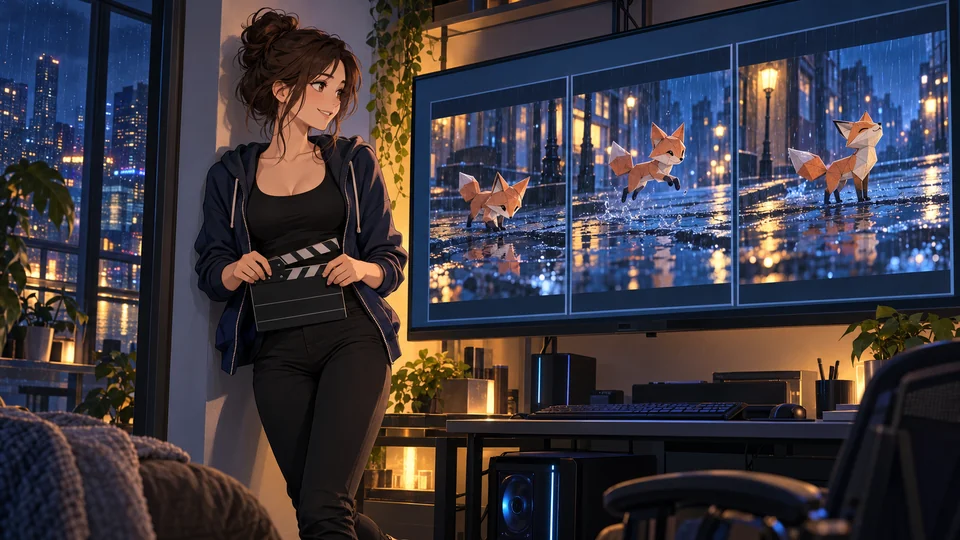
How video can be created on your PC
A local video model consists of downloaded files that your computer uses to generate a sequence of frames. You provide a description, an initial image, or a motion sample, and the program computes the clip. Some models generate sound simultaneously.
Video requires more resources than a single image: the object must remain recognizable across many frames and move consistently. Therefore, a PC that can normally generate an illustration might not necessarily create a long scene quickly.
To launch it, you need software, a model, and compatible hardware. After downloading all components, a truly local setup can work without the internet. However, a paid API within the same software still connects to a server.
What tasks this is useful for
The table can be scrolled sideways →
| What you want to do | Which mode to look for | A simple example |
|---|---|---|
| Video from a description | Text-to-video, or T2V | A quiet evening courtyard, rain, and light from a window |
| Animate an image | Image-to-video, or I2V | The hero in the ready illustration turns their head |
| Transition between two frames | First/last frame, or FLF2V | The starting and ending positions of a scene, between which movement is needed |
| Add video with sound | A model with its own audio generation | Movement on a rainy street with rain noise |
| Transfer movement to a character | Motion transfer | The hero's drawing repeats the action from a sample video |
This is useful for short inserts, mood clips, checking staging, advertising, and animation scene drafts. The easiest way to start is with a single action: a slight head turn, wind in fabric, or a smooth camera zoom.
If you need animation keys, a skeleton, and the ability to precisely change an arm arc in Maya, the generated MP4 won't provide that. It can serve as an idea search or material for editing. For the full creative process, see the comprehensive guide to making films and cartoons with AI.
What PC you need: from testing to serious work
VRAM — the dedicated video card memory. RAM — the system memory of the entire PC. When part of a model is moved between them, it is called offloading. This allows you to fit a larger model, but it is not a free speed boost.
The table can be scrolled sideways →
| Your PC | Realistic first route | Important threshold |
|---|---|---|
| No separate GPU or a very weak card | Start with image preparation or limited cloud testing | Don't count on convenient CPU generation for modern video |
| 8 GB VRAM | Wan 2.2 5B in ComfyUI with native offloading | An officially described possibility of running, not a promise of fast performance. [4] |
| 12–16 GB VRAM | The same 5B with more headroom; beyond this — separate optimized experiments | Not every 14B or LTX will fit automatically |
| NVIDIA with 24 GB VRAM | You can try the official local LTX Desktop route | Also requires 32 GB RAM and at least 100 GB of free disk space. [6] |
| NVIDIA with 32 GB VRAM and more | Recommended headroom for LTX Desktop; more complex professional setups | Large frames, long scenes, and additional models are tested separately |
| Apple Silicon | LTX Desktop: 48 GB shared memory; 32 GB — limited 540p/5s path | macOS 26+ is required for local generation; these are the requirements for this specific application. [6] |
The tip lines are editorial starting guidelines. We have not compared all these configurations on our own test bench. For serious attempts, it is useful to have extra RAM and disk space: several models, intermediate files, and clip duplicates quickly take up space.
What about Radeon
ComfyUI supports AMD on compatible Windows/Linux configurations; there is a separate AMD Portable and file run_amd_gpu.bat. But software support does not yet mean support for all accelerators and third-party video nodes. Start with the built-in template and check the exact map using the current instructions. [2] [3]
LTX Desktop on Windows/Linux currently describes NVIDIA CUDA. Therefore, for Radeon, it should not be presented as a proven simple local route. The NVIDIA instruction with FlashAttention or other special optimizations may also not work for AMD.
First video: ComfyUI and Wan 2.2 5B
Let's start by animating a ready-made image. This makes it easier to evaluate motion: you already have a hero, composition, and lighting that you want to preserve. The image can be prepared using a separate guide from local images.
- Install Comfy Desktop from the official website and choose Local. If you are already using ComfyUI, you don't need to create a second copy just for this guide. [1]
- Open the template library and find Wan 2.2 5B. A Workflow is a ready-made work scheme; you don't need to assemble all the blocks manually.
- Download the components from the hints. Choose specifically TI2V-5B. Other Wan variants have different files. [4]
- Add the starting image to LoadImage. If this block is disabled in the template, enable it; in the current instruction, Ctrl+B is used for this.
- Describe one movement and run Run / Queue. Keep the typical short template mode. Review the clip in full, not just its first frame.
First movement: animating the starting image
Use the provided image as the first frame. The paper fox gently turns its head once and looks toward the warm window. Light rain continues, a few small ripples appear in the puddle. Locked camera, one continuous shot, restrained motion. Keep the fox design, colors and proportions consistent.
This is a fictional training scenario. For your first attempt, do not simultaneously add running, jumping, camera rotation, weather changes, and the appearance of a second character. If the result is bad, it will be unclear which specific part to fix.
Manual download: three files specifically for Wan 2.2 5B
The table can be scrolled sideways →
| File | Folder inside ComfyUI/models/ | Purpose |
|---|---|---|
wan2.2_ti2v_5B_fp16.safetensors | diffusion_models/ | Main model |
umt5_xxl_fp8_e4m3fn_scaled.safetensors | text_encoders/ | Prompt processing |
wan2.2_vae.safetensors | vae/ | Converting internal data to frames |
Downloading and the template are in the official guide [4]. For 14B, different VAEs and two main files—high-noise and low-noise—are used. Do not replace one component with a random file from a neighboring template. The difference between versions is also described by Wan itself [5].
The first result does not mean that all subsequent scenes will work with any settings. Increase the load gradually: first better motion, then a longer clip, then resolution.
Which local video models to choose
There is no universal winner here. For the first run, simplicity is important; for a scene with sound, audio support is key; for repeating motion, the appropriate mode is needed. The name 'video model' does not yet tell you whether its files are available for a home PC.
The table can be scrolled sideways →
| Model | Purpose | What to know before running |
|---|---|---|
| Wan 2.2 TI2V-5B | Video from text and starting image | Our first route; Apache 2.0. Sound is not a feature of this base template. [4] [5] |
| Wan 2.2 T2V / I2V A14B | Next step for more complex scenes | Another, heavier kit with two experts; not "the same 5B, just higher quality". [5] |
| LTX-2.5 | Video with synchronized sound, frame manipulation, and more complex workflows | Open weights with its own Community License; requires powerful hardware. [7] |
| Wan Animate 2 | Transferring motion from a video sample to a character image | Local weights, Apache 2.0; a professional experiment, easy launch on 8 GB is not guaranteed. [11] [12] |
| MiniMax H3 | Generation with references and custom stereo sound | Weights are available; commercial local results require a paid license. Kits are heavy. [15] |
| HunyuanVideo-1.5 | An additional alternative for experienced users | Upstream describes Linux/NVIDIA and 14+ GB VRAM with offload; the license excludes the EU, UK, and South Korea. [13] [14] |
What about the newer Wan 3.0? On the verified Comfy page, it is available via Cloud and Partner Nodes. This is not a local weight installation guide. You should not substitute a newer model number for Wan 2.2 in a home setup. [17]
LTX Desktop: a simpler interface for a powerful computer
If you don't like flowcharts, there is a separate LTX Desktop. Its standard local model is LTX-2.5 Fast; for some extension and rework operations, LTX-2.3 Fast is also used. The application itself is open-source and free. [6] [18]
- Check your Windows/Linux/Mac requirements against the table above.
- Download the installer via the official GitHub Releases link on the LTX page.
- Complete the first launch and model download. You may need a Hugging Face account and to accept access terms for the weights.
- Choose local execution and a local text encoder — the component that processes the description.
- Try a short scene, check the sound and motion. Using API connection instead of local execution already uses a cloud server.
LTX-2.5 can create audio and video together. In the first sound test, it is easier to ask for rain, footsteps, or a ring than a complex dialogue between several people. Check Ukrainian pronunciation, dialogue content, and synchronization separately; we do not promise verified Ukrainian dubbing. [7]
Next test: a scene with sound in a compatible model
A short continuous shot of a small paper fox waiting on a wet tram stop bench at dusk. The fox slowly looks toward an approaching warm light. Very gentle camera push-in. Quiet rain and a distant tram bell, no dialogue, no music. Preserve the paper folds and the fox silhouette throughout the shot.
If you want to run LTX-2.5 in ComfyUI
Current ComfyUI has built-in LTX-2.5 templates: T2V, I2V, first/last frame, and DFR — a detail enhancement workflow. Open Template Library → Video, select a specific template, and download its kit. Access to the gated Hugging Face repository must be obtained before downloading. [8]
Components include transformer, Gemma text encoder, video-VAE, audio-VAE; some workflows add a size enhancer. INT8 ConvRot is an optimized version, but the label INT8 itself does not mean "works on 8 GB". Lightricks integration documentation specifies 32+ GB CUDA VRAM and 100+ GB of disk; it also describes a separate version with a lighter Conv VAE. Do not mix it randomly with another template's list. [9]
Advertised 4K, HDR, and high frame rates are capabilities of certain workflows. They do not mean that any home PC can quickly create such a file. First, get a good short frame in typical mode.
Free and paid: what exactly you have to pay for
The table can be scrolled sideways →
| Option | Payment | What are the limitations |
|---|---|---|
| ComfyUI + Wan 2.2 / Animate 2 | No cloud fee for each local run | PC resources; Apache 2.0 and rights to output materials |
| LTX Desktop | The application itself is free | Model terms differ from the program's Apache license |
| LTX-2.5, local weights | A free commercial path for users who meet the terms and the income threshold of less than $10 million/year | Its own LTX 2.x Community License; above the threshold and for specific scenarios, a commercial agreement is required. [10] |
| MiniMax H3, local commercial work | Official licensing via Comfy: Professional from $5000/mo | Licensed users, volume, and contractual terms; this is a studio tier. [16] |
| Comfy Cloud | Standard $20, Creator $35, Pro $100 per month for monthly billing | Cloud credits and time limits; this is not an upgrade to your own card |
| Partner Nodes / API in a local window | Server usage is paid | Network, tariff, and provider rules |
Prices are provided to understand the difference in routes; check the current page before paying. An annual plan may show a lower 'per month' price but require a full year's prepayment. Do not compare these numbers as two identical monthly subscriptions. [16]
MiniMax H3 has free downloads of open weights, but commercial use of locally generated results requires a separate license. Cloud generation via Comfy has a different payment scheme and includes relevant commercial rights. This is a good example of why 'the file can be downloaded' does not mean 'you can do client advertising for free'. [15]
HunyuanVideo-1.5 has territorial restrictions, which are important for Ukrainians in the EU and UK. Also, the free nature of the LTX Desktop app does not cancel the LTX weight licenses. For work, check your specific model version, LoRA, and references.
Is there truly unlimited video?
In a standard local setup without a paid API, there is no cloud daily quota. However, there is your render queue, memory, time, and electricity costs. The license agreement may also have its own terms. Therefore, the label 'unlimited' does not mean infinite instant video and unrestricted rights.
Original exercise: one frame of a night city
Let's return to the paper fox. The goal is a short atmospheric shot for a screensaver, not a feature-length story in a single prompt.
- Prepare the start. The fox reads well against the background, its paws do not merge with the bench, and there are no broken details. It is better to fix a bad starting frame before generating motion.
- Add one action. The fox turns its head slightly. The camera is initially stationary.
- Pick the takes. Review the middle and end of each. Reject those where the head shape changes or paws pass through the bench.
- Complicate one thing. Either add slight camera movement or sound in a compatible model. Save the previous successful version.
- Edit. Cut the best fragment, add a title and the necessary sound in an editor. To continue, use the selected frame or a special mode, rather than a random new prompt.
Evaluate the result based on the task. Three seconds of clean motion can be more useful than a longer clip where the character gradually turns into someone else. Upscaling does not fix incorrect motion.
Single frame plan
Frame goal: Starting image: One main action: Camera movement or stationary camera: Duration and size from template: Sound needed or not: What must remain unchanged: Take selection criteria: Model, workflow, version, seed: Generation time and required edits:
For pros: motion, character consistency, and a controlled process
Wan Animate 2: motion from a video sample
Here, the input materials are— a character image and a driving video, i.e., a video with a motion sample. The official ComfyUI template transfers motion without mandatory prior skeleton extraction; the camera and environment can be described via text. [12]
Workflow: update ComfyUI → find Wan Animate 2 → download the specific template set → add a reference and a short motion sample → check the result. This is a heavier route with additional components. There is no reason to promise smooth operation on any 8GB card.
Wan Animate 2 has Base and Distill variants and uses Apache 2.0. Check character shape, floor contact, and hand/object overlapping. The resulting clip remains a video: the model does not return a ready FBX or an edited rig animation. [11]
References, first/last frame, and LoRA
The reference sets the appearance, while the first and last frames are the desired transition points in models that support this. This is not a guarantee of correct physics between them. Choose two compatible frames with the same aspect ratio and without drastic, accidental redesigning of the hero.
LoRA — additional setting for style, character, or a specific operation. The file must match the model, version, and sometimes the exact build. Pay extra attention to accelerated LoRAs: they may require different steps and parameters. Do not transfer settings from a neighboring family just because of a similar name.
MiniMax H3: when a more complex professional route is needed
In ComfyUI, there are local H3 templates for text, images, and references, with their own stereo audio. Find MiniMax H3 in the library and take the full kit for the required mode. The main compressed files are only part of the necessary components; the checkpoint size itself does not equal the required VRAM. In current pruned builds, the smallest main file is about 16 GB, a typical INT8 is about 21 GB, and other models are added to them. [15]
Do not confuse this local template with the MiniMax API node. Before client work, determine the commercial path and budget. For your first home test, it is easier to start with Wan.
Memory and reproducibility
Seed — the initial randomness number. Save it along with the exact model file, ComfyUI version, workflow, resolution, number of frames, and steps. This helps compare changes; different versions and devices can yield different results even with the same seed.
To save memory, first reduce the number of simultaneous variants, use the recommended short mode, and close other GPU programs. Then try compatible compressed weights and offload. Tiled VAE — decoding in parts — can help in supported schemes, but has its own trade-offs. Do not enable all optimizations at once: it makes it hard to understand the cause of an error.
Separate environment, Portable, and automation
For Windows, take the Portable version specifically for NVIDIA, AMD, or Intel and run the corresponding .bat file. Python is already inside; do not close the console while working. http://127.0.0.1:8188 — the local interface address, not proof of cloud usage. [3]
For Linux, a separate Python environment, or scripts, use the current manual installation [19]. PyTorch and GPU package versions must match your hardware. First, save a working built-in template, then add third-party nodes. Before batch queuing, check one full cycle, the output folder, and free space.
What to check and how to fix errors
The table can be scrolled sideways →
| Problem | First step |
|---|---|
| Not enough VRAM | One variant, short typical mode, close other programs; then a compatible smaller package or offload |
| Model does not load | Check all files, folders, download completion, and access to the gated repository |
| Hero flickers or 'drifts' | Simpler action, better starting frame, shorter scene; selecting a different take |
| Strange physics and contacts | Remove extra actions, check movement frame-by-frame; precise complex interaction might be better animated separately |
| No sound | Check if the selected model and scheme generate audio at all |
| Radeon does not work with someone else's workflow | Check OS, GPU package, and CUDA-dependent nodes; return to a supported built-in template |
| Expected locally, credits are being deducted | Find a Partner/API node or cloud backend and verify the execution mode |
A good test is short and specific. Record how long you waited, how many duplicates you discarded, and why. For real work, the time to a usable result matters, not just the speed of a single generation.
Start with an image and one movement. Once this cycle works, add the next tool for a specific need. From there, you can move on to planning a full story or return to preparing stronger starting frames. In the comments, write the exact card, RAM, model, and error — this makes it much easier to help.
Sources and preparation method
The original material was prepared based on official instructions, model cards, and licenses. We did not conduct a comparative test of all models on a single PC; selection advice is not such a test. We do not apply the requirements of one application to all implementations. Before installation, check the current template; before payment, check the tariff.
Open documentation and model cards
- Comfy Desktop: local launch
- ComfyUI: system requirements and GPU
- ComfyUI Portable: packages for NVIDIA, AMD, and Intel
- ComfyUI: Wan 2.2, 5B and 14B, files and steps
- Wan: official Wan 2.2 repository
- LTX: Desktop, installation, and requirements
- Lightricks: LTX-2.5, official card
- ComfyUI: built-in LTX-2.5 templates
- LTX: integration with ComfyUI, components, and memory
- LTX: 2.x family license
- Wan: official Wan Animate 2
- ComfyUI: Wan Animate 2, motion transfer
- Tencent: HunyuanVideo-1.5 and requirements
- Tencent: HunyuanVideo-1.5, license territory
- ComfyUI: MiniMax H3, local weights and licensing
- Comfy: cloud tariffs and commercial local H3 license
- Comfy: Wan 3.0 via Cloud and Partner Nodes
- Lightricks: LTX Desktop source code
- ComfyUI: manual installation and current GPU packages
Discussion
Share your opinion or ask about the material. Your nickname and comment text will be visible to everyone.
Log in via email
Get a one-time code. No password required.
The code is valid for 10 minutes. Logging in does not subscribe you to the newsletter. Data usage.
Or log in via ChatGPT ↗Loading comments...