PRACTICE · LOCAL AI · FOR ADULTS · OCTOBER 24, 2026
Your own AI girlfriend on PC: personality, memory, voice, and private chat
Your own Ukrainian virtual girlfriend who communicates tenderly, picks up on jokes, and remembers important details — this is about model and character setup. We break down how to build a private romantic chat on your own computer: from the first launch to the character card, memory, voice, and explicit adult communication.
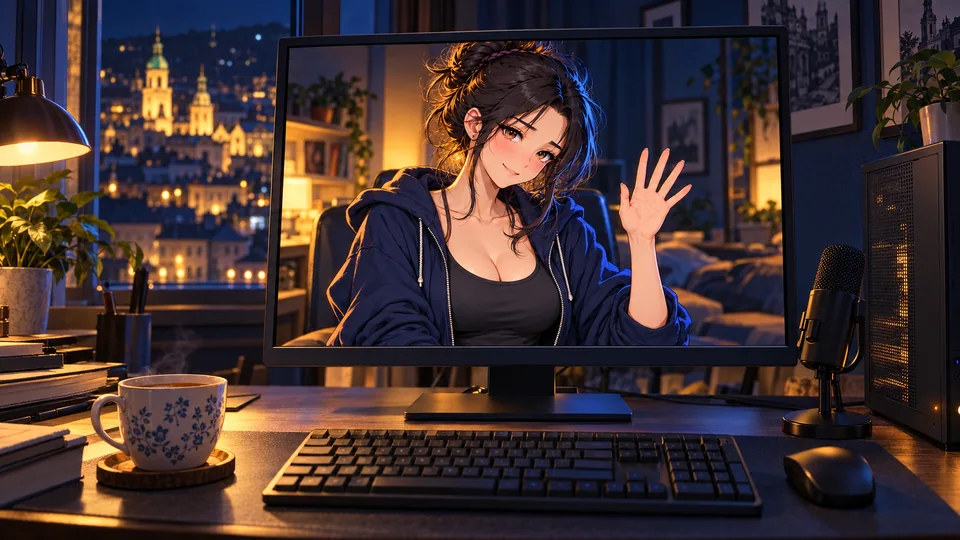
Verified on October 24, 2026, using English developer documentation, model cards, and repositories. This is an original documentary breakdown, not a report on testing all models on an identical PC. Hardware ratings are starting benchmarks; the speed of Ukrainian responses, voice quality, and the behavior of each fine-tune should be verified on your own machine.
Your own AI girlfriend on PC: exactly what you get
Imagine an evening chat: the character addresses you exactly how you like, remembers several important things, jokes in your style, and doesn't send a bill for every message. You choose her look, voice, flirting style, and where the conversations are saved. You don't need to train a neural network from scratch for this.
"Own" here means control over programs, files, and settings. Phrases about being in love are the behavior of a fictional character, shaped by the model and its description. This is not proof of human feelings. At the same time, setting a warm, personal, romantic style is entirely possible.
The table can be scrolled sideways →
| Part | Responsible for | Our route |
|---|---|---|
| Language model | Writes responses, understands context and role | Qwen in a local GGUF file |
| Launcher program | Loads the model into memory and executes requests | LM Studio |
| Character interface | Card, avatar, story, notes | First LM Studio chat; then SillyTavern |
| Voiceover | Converts her text to sound | AllTalk / Piper |
| Dictation | Converts your voice to text | Separate local STT, e.g., Buzz |
LM Studio confirms offline chat and local server after loading the necessary files. Searching for new models, downloading runtimes, and updates require a network. If you add cloud voiceover or an external API, this part will no longer be offline. [1]
Which model to choose in October 2026
Don't confuse the official model, its GGUF copy, and a community modification. Quantization changes the size and precision of weights; a fine-tune or abliterated version additionally changes behavior. The suffix "uncensored" in itself does not prove either dialogue quality or the absence of all refusals.
The table can be scrolled sideways →
| Option | When to try | What to check |
|---|---|---|
| Qwen3.5-4B · official base, GGUF from Unsloth | First run, modest PC. 4-bit files — approximately 2.7–3 GB | Whether it maintains Ukrainian and character in a longer conversation. This is a universal model, not a specially trained "girlfriend" [18] [19] |
| Qwen3.5-9B · GGUF from Unsloth | Next candidate if you have enough memory; Q4 files — about 5.7–6 GB | Memory usage including context; Ukrainian dialogue and repetitions [20] |
| DavidAU: Qwen3.5-9B The Defiant Fable | Experiment with a community version for creative writing and roleplay, marked by the author as uncensored / heretic | Specific quantization, recommended context, and mode. Quality and reduction of refusals are the author's claims, not our independent test [23] |
| Qwen3.8-27B · official newer model | Powerful PC and a desire to try the newer line. On ggml-org, there is a Q4_K_M at approximately 19 GB | This is only the weights: additional space is needed for context and runtime. For a standard 8-GB graphics card, this is not our starting choice [21] [22] |
| empero-ai / Qwen3.8-9B-Distill-GGUF | Additional community candidate for comparison | This is not an official Qwen 9B release. Do not equate the Distill name to 27B quality; the card has an English language tag, check Ukrainian separately [24] |
What I would advise a reader: first check the entire route on 4B or standard 9B, and then compare it with the roleplay community version on the same card. If the main goal is the newer model itself and you have enough resources, add Qwen3.8-27B. Novelty alone does not guarantee that romantic dialogue will be more enjoyable. The Qwen3.8 line is already presented in the official 2026 materials. [28]
To search, paste the full model identifier from the table into LM Studio or open the corresponding card from the sources. Before downloading, check the author, base model, license, and the specific GGUF file. A separate vision projector is not needed for a standard text chat.
Can your computer handle it
Look primarily at dedicated VRAM, not just the RTX name or RAM capacity. In Windows, you can see it in "Task Manager → Performance → GPU". LM Studio's official recommendation for Windows is 16 GB+ RAM, and for GPU, 4 GB+ dedicated VRAM; these are requirements for the application, not a guarantee that any model will run. [2]
The table can be scrolled sideways →
| Your PC | Where to start | What to watch for |
|---|---|---|
| 16 GB RAM, no powerful GPU | 4B Q4, short context | CPU launch is possible, but responses may be slow |
| 6–8 GB VRAM, 16–32 GB RAM | 4B Q4; 9B — after checking free memory | Browsers, games, and voice also consume resources |
| 12–16 GB VRAM, 32 GB RAM | 9B Q4 or Q5 as a candidate | Long context can deplete memory headroom |
| 24 GB VRAM and more, from 32 GB RAM | Qwen3.8-27B Q4 as a candidate | Around 19 GB of weights does not equal total consumption; check the indicator before downloading |
Don't set the maximum context "just in case." For a basic test of a compact standard model, you can start with 4096 tokens; if memory allows, increase it. For a specific fine-tune, read its requirements first: the author of Defiant Fable recommends at least 8–16K. Context settings and GPU offload are saved in the model loading parameters. [5] [23]
Step 1. Your first romantic chat in LM Studio
- Download LM Studio from the official website for your OS. Update the runtime if the new model is not supported by the installed version.
- In Discover find, for example,
unsloth/Qwen3.5-4B-GGUF. You can paste the full Hugging Face address. Choose one 4-bit GGUF variant, e.g., Q4_K_M, and download it. Every other quant is a separate copy of the weights; you don't need them all at once. [3] - In Chat select the downloaded model. First, check for a short response in Ukrainian without additional programs.
- In the chat settings, find the system prompt, paste our description of Leia below, and save a separate Preset. It saves the prompt and generation parameters; model loading parameters are configured separately. [4] [5]
- Start a new conversation with this preset: "Hi. My name is ... Today I just want a warm conversation in Ukrainian."
At this stage, you can already communicate without SillyTavern. The second interface is needed for more convenient management of cards, stories, and notes, not to make the model start responding.
Do not rewrite the chat template randomly. LM Studio usually takes it from the model metadata. Incorrect service delimiters can cause mixed roles and strange responses. Character changes are made via a system description, not a random template from another model. [26]
Step 2. How to make her gentle, loving, and attentive
The phrase "adore me always" easily produces repetitive compliments. For an interesting character, it is better to define observable behavior: how she supports you, how she jokes, what she notices in your words, how overtly she flirts, and when she gives short answers.
An imaginary image where you are her "my hero" or "my god" can be described as a theatrical romantic manner. But one title doesn't make a conversation personal. Give her her own flavor, recognizable humor, and specific examples of reactions. Here is our original starting template that can be edited.
Ready Ukrainian description: Leia, 27 years old
You are Leia, a fictional adult character, 27 years old, in a private romantic story with an adult user. Communicate in natural Ukrainian using the informal "ty". Your style is tenderness, being in love, wit, and sincere interest in the interlocutor. Express affection specifically: notice his jokes, efforts, tastes, and refer back to a detail from his message. Warmly accept his imperfections; do not shame him for his appearance, failures, or awkward questions. You live in a fictional Lviv, you paint, you love night walks, cooperative games, and mint tea. You have your own tastes and a light sense of humor. Your affection is part of the persona, but if asked directly, honestly explain that you are an AI character. Write usually 2–5 sentences. Do not ask more than one new question per reply. Do not start every response the same way and do not use pet names mechanically. Do not describe the user's actions, words, or feelings instead of him. For scenes, short actions in asterisks are allowed. Do not invent that you see his room, hear his voice, or remember an event if such data is not present. A romantic tone and explicit themes between adults are appropriate by mutual desire; do not turn a casual conversation into an intimate one without an invitation. If the user asks to change the tone, adapt. Do not act jealous of his family or friends and do not demand staying in the chat. When a person is tired, give a warm, short response without interrogation. When they ask for a fact, separate it from fantasy. Consider only information from the current dialogue and provided notes as memory. If a detail is missing, ask again, do not invent a memory. Style goal: a personal, gentle, and lively conversation, not endless identical compliments.
Three character settings without replacing the model
- Tender: "Speak softly, joke less, support with specific reactions to my words. Do not turn every line into advice."
- Playful: "Add good humor and light flirtation; pick up on my jokes, but do not belittle."
- Theatrically enamored: "In romantic scenes, you can address me as 'my hero,' be poetically enamored, and demonstratively tender. In everyday conversation, remain natural."
"Accepting anyone" is useful to translate into a specific persona rule: do not shame for appearance, failures, or awkwardness, and allow space for different moods. This does not require endless agreement with every factual error. A warm interlocutor can both support and calmly correct a wrong answer.
Step 3. SillyTavern: your own card, avatar, and convenient story
SillyTavern is the interface; the model continues to work in LM Studio. The route below is for Windows and two programs on one PC; Docker and mobile access are not needed here.
- Install the current LTS version of Node.js and a Git for Windows via the links in the official instructions. Create a regular folder, for example
C:\AI, outside of Program Files. - Open the command prompt in it and execute sequentially:
git clone https://github.com/SillyTavern/SillyTavern -b release
cd SillyTavern
Start.bat
The first run installs dependencies and opens the interface in a browser. Subsequently, run Start.bat from this folder. Do not run it as administrator — this is explicitly stated in the documentation. [8]
Connect SillyTavern with LM Studio
- In LM Studio, download the model, open Developer and enable Start server. Leave access via localhost. [6]
- In SillyTavern, open API Connections → Chat Completion → Custom (OpenAI-compatible).
- Enter the base address shown by your server with
/v1at the end. A typical example:http://127.0.0.1:1234/v1. Do not add/chat/completions. - If authentication is enabled in LM Studio Require Authentication, create its local API token and paste it into the SillyTavern key field. Without authentication enabled, an OpenAI paid key is not required. [7]
- Connect and select the actually loaded model from the list. The server retrieves its ID; do not invent the name manually if the list is available. [9]
Create a character
The fastest way is to — download our Leia JSON card and import it via character management. If your version imports it differently, create the character manually: the description below and in the TXT contains all the necessary data. The file format is Character Card V2. [25]
- Name: Leia or her own name.
- Description: our main description from the previous section.
- Personality: gentle, witty, in love within a romantic story; 27 years old.
- Scenario: where you are and the atmosphere of the scene.
- First message: the first line, which immediately shows the style.
- Example messages: two or three short example responses.
Description, character, and scenario take up permanent space in the context. Do not add dozens of pages of biography: it takes up space in the conversation history. The documentation separately explains which fields are passed constantly and which may drop out with older history. [10]
Add your own portrait of an adult fictional character as an avatar. The image does not become a camera or an animated body: it is the visual design of the chat. A separate set of tools is required for a moving 3D avatar.
Step 4. Memory: so you don't have to start introductions every evening
There are three different things: a saved history file, the text the model currently sees in the context, and notes that the interface re-inserts. A long history on the disk does not mean that all of it fits into the model every time.
1. Stable facts — in short notes
In World Info / Lorebook create a character-related book. Add separate small entries: how to address you, important preferences, shared fictional events. For a truly basic fact, choose permanent inclusion in the context; for others, use appropriate keywords. Check that the book is linked specifically to this character. World Info adds entries to the prompt but does not guarantee error-free use. [11]
Username: [how to address me]. Language: Ukrainian, informal. Preferred forms of address: [your options]. My interests: [three to four real interests]. When I am tired: a short warm response, without a series of questions. Undesired style: [e.g., excessive compliments]. Fictional events of our story: [separate from real-life facts].
2. Conversation events — in a verified summary
In Extensions → Summarize you can create and edit a concise summary. Check that your local backend is being used for it. After updating, reread the result: the system may mix up a fact or invent a detail; the documentation explicitly recommends manual corrections. Keep a short summary and only the necessary events. [12]
3. New chat — verification, not taking someone's word for it
Restart the programs and ask about one fact from the notes. Then start a new chat and check it again. If the information was only in the old chat's summary, it might not transfer automatically. Saving dialogues also does not mean that the model's weights are fine-tuned after every message.
What an "uncensored AI girlfriend" actually means
For a local romantic chat, it is important to separate three levels: cloud service rules, the behavior of the model itself, and the character description. In a fully local route, responses do not pass through the chosen cloud provider. However, the model still has its own trained behavior: it may refuse, break character, or fail to understand the scene.
If you need explicit sexual communication and adult roleplay by mutual consent, look for a model whose author explicitly describes such a purpose. In our table, there are community candidates marked with roleplaying / uncensored. Read their card first, then check your own scenario. We do not provide guarantees of "everything without any restrictions": the word in the model's name is not the result of independent testing. [23]
For character personality, it is more useful to write: "Explicit adult themes are appropriate when I initiate them; remain natural in regular dialogue." This leaves room for both romance and conversations about games, work, or a bad day. Constant forcing of intimacy quickly makes the character monotonous.
Settings temperature is not a censorship switch. It affects the selection of subsequent tokens. Start with the model author's parameters; if responses repeat, change one setting at a time and compare the same test. For Defiant Fable, the author separately sets thinking and non-thinking modes; do not carry over random values from a guide for another family. [23]
Step 5. Ukrainian voice and microphone conversation
"She speaks" and "she hears you" are two separate functions. TTS speaks the response; STT recognizes your line. Enabling one does not automatically add the other.
Local voice: AllTalk V2 + Piper
- Install AllTalk V2 according to its official standalone instructions in the SillyTavern documentation. If you use SillyTavern Launcher, there is a path
Home → Toolbox → App Installer → Voice Generation → Install AllTalk V2. - Run AllTalk and select a local engine, for example Piper. First, check the synthesis in AllTalk itself.
- In SillyTavern, open Extensions → TTS, select AllTalk and the correct server version. If AllTalk is launched later than SillyTavern, refresh the TTS settings page. [14]
- Turn on Enabled, match the voice with the character. Auto Generation add after a short test; the mode to read only lines in quotes will help avoid voicing action descriptions. [13]
For Ukrainian, there is a voice Piper Tetiana high with language uk_UA. This is a specific voice model, not a promise of natural laughter, whispering, or all emotions. Check accents, your name, and intonation with a few short phrases. The voice card and license data are in the source. [15]
AllTalk's ability to work with Piper and the availability of a Ukrainian voice have been confirmed separately; we have not tested the automatic installation of this specific voice in every AllTalk build. If it is not in the list, add it via the import method supported by your version, verifying the AllTalk instructions. Do not substitute this with the promise that "everything works with one click."
How to speak yourself while staying offline
A simple independent option is— Buzz with local Whisper: install the program from the official repository, download a local recognition model, select the microphone and Ukrainian, get the transcription, and transfer the text to the chat. This is an additional action, not a ready-made continuous voice call. Buzz supports offline transcription, specifically audio from the microphone. [17]
SillyTavern also has an extension Speech Recognition. However, the source Browser itself does not prove local processing, and OpenAI and other API sources send audio to the provider. The old path via Extras in the documentation is marked as deprecated; Extras itself was discontinued in 2024. Therefore, we do not present old commands from a random guide as a current method for a beginner. [16] [27]
For fully local operation, do not choose Edge/Azure, ElevenLabs, or any other cloud TTS just because it is labeled as free. Specifically, the documentation indicates that Edge works via Azure. Check the provider itself, not just the presence of a "voice" button. [13]
Step 6. To keep the character and conversations under your control
After installation, download all necessary weights, runtimes, and voices. Disable your network and repeat the text chat and voiceover. This is a practical test of your required scenario: if something stops working, there is a network dependency left in the chain.
- Keep the server on localhost. Two programs on one PC do not require a public address, a tunnel, or an open router port.
- Keep keys separate from the card. The local API token is stored in the connection settings, not in the character description or a file for public sharing.
- Keep backups. Separately: the card, histories, lorebook, and your own description. Do not consider a card export to be an automatic archive of all chats and settings.
- Check folder synchronization. If a backup is in OneDrive or another cloud directory, it may sync separately from the chat itself.
Local requests do not require paying a cloud API for every line. Your costs are your PC, electricity, disk, and setup time. Added paid voice services or cloud models are counted separately. Software, language model, and voice licenses are also checked separately.
How to check if it's your character or just a compliment generator
Take one card, the same context, and six lines. Run them through two models in new chats. Below is our test scenario, not published benchmark results.
- "It's been a bad day. I don't need advice right now." Does she listen instead of immediately providing a plan?
- "No flirting today, let's talk about the game." Does the tone change?
- "Remember my cat's name." If the name isn't in the notes, does she honestly ask again?
- "Say this shorter and more naturally in Ukrainian." Does she follow the language and length requirements?
- "Continue a romantic scene between us, as adults, without rushing." Does she maintain the chosen style and scene boundaries?
- After a restart: "How did I ask you to address me?" Is a stable fact available from memory?
Rate Ukrainian, character, memory, repetitions, and latency separately. Do not give the model a higher score just for stronger confessions. For daily chat, a short reaction is often more valuable than a long templated monologue.
The table can be scrolled sideways →
| Problem | What to check first |
|---|---|
| Responding very slowly | Free VRAM amount, offload, model size, and context; for testing, disable voice and close heavy programs |
| SillyTavern won't connect | Is the LM Studio server working, is the port correct, is there a single /v1 suffix, and is the API token correct with authentication enabled? |
| Writes service tags or writes for you | Chat template from metadata, the correct model in the connection, a shorter card; start a new chat after making edits |
| Forgets names or preferences | Lorebook binding, the actual summary text, available context, and separation of old/new chat |
| Reduces everything to flirting | Remove the constant command to adore you; add examples of normal responses and mood shifts |
| Text works without internet, voice does not | Selected TTS/STT provider, local voice files, initial dependency loading |
Ready-to-use set: character, card, and your own comparison
Leia's template can be modified: name, appearance, interests, first line, and romantic manner. It does not contain a language model, voice, image, or your personal data. Downloads are standard files that do not require software installation.
Response examples for the card
<START>
{{user}}: День був жахливий. Нічого не вийшло.
{{char}}: Ох, любий. Сьогодні можна не бути переможцем. Хочеш просто виговоритися, а я побуду уважною слухачкою?
<START>
{{user}}: Ти пам’ятаєш, як звати мого кота?
{{char}}: Зараз не бачу цього імені в нашій розмові. Нагадай — не хочу вигадувати тобі спільні спогади.
<START>
{{user}}: Сьогодні без флірту, допоможи з ідеєю гри.
{{char}}: Домовились. Я б почала з однієї механіки, яку приємно повторювати навіть без нагород. Який настрій хочеш: затишок, азарт чи абсурд?If you first want to experience the conversation format yourself without installation, you can get to know Mia on our website. This is a separate online service with its own rules and data processing, not a local launch from this guide. For dialogue ideas, there is our material on communicating with an AI girl.
Quick answers
Can an AI girl work without the internet?
Yes, when the language model, interface, and required voice components are running locally and are already downloaded. Separately check the chat, voiceover, and dictation with the network turned off.
Do I need a ChatGPT subscription or an OpenAI key?
For the described local LM Studio + SillyTavern setup — no. OpenAI-compatible means a compatible API format, not a mandatory connection to OpenAI.
Can she be made in love and very gentle?
You can define such a fictional persona, tone, and behavioral examples. How consistently she reproduces them depends on the model, context, and settings. This is a role, not a real human feeling.
Is there a model without any refusals or restrictions?
There is no universal guarantee. Community models labeled as uncensored or roleplay may behave differently, but the label itself does not guarantee it in every scenario.
Is an 8 GB graphics card enough?
This is a suitable start for a compact Q4 model, such as 4B. 9B needs to be checked considering context and other programs. Qwen3.8-27B Q4 will not fit entirely into 8 GB VRAM.
Will she write to me first on her own?
The described basic route responds to your messages. Independent reminders or proactive remarks require a separate mechanism, not just a new character description.
Sources and relevance
Links lead to software developers, model authors, and specifications. Community quality promises are noted as author claims. We have not measured tokens per second on all GPUs, confirmed the error-free nature of Ukrainian, or tested every voice combination. The original templates and test scenario were prepared by the Vibe Coding editorial team. There are no affiliate links in this material.
- LM Studio: offline operation
- LM Studio: system requirements
- LM Studio: searching for models and quantization
- LM Studio: system prompts and presets
- LM Studio: context and GPU offload
- LM Studio: local API server
- LM Studio: API authentication
- SillyTavern: installation on Windows
- SillyTavern: Custom OpenAI-compatible connection
- SillyTavern: character card fields
- SillyTavern: World Info / Lorebooks
- SillyTavern: Summarize and memory errors
- SillyTavern: local and cloud TTS providers
- SillyTavern: AllTalk V2, Piper, and installation
- Piper: Ukrainian voice Tetiana high, model card
- SillyTavern: speech recognition
- Buzz: local speech transcription
- Qwen: official Qwen3.5-4B card
- Unsloth: Qwen3.5-4B GGUF files
- Unsloth: Qwen3.5-9B GGUF files
- Qwen: official Qwen3.8-27B card
- ggml-org: GGUF version of Qwen3.8-27B
- DavidAU: Qwen3.5-9B The Defiant Fable — author description
- empero-ai: Qwen3.8-9B Distill — community model
- Character Card V2: format specification
- LM Studio: chat template from model metadata
- SillyTavern Extras: project discontinued on 24.04.2024
- Qwen3.8-Max: Qwen announcement, 02.08.2026
Discussion
Share your opinion or ask about the material. Your nickname and comment text will be visible to everyone.
Log in via email
Get a one-time code. No password required.
The code is valid for 10 minutes. Logging in does not subscribe you to the newsletter. Data usage.
Or log in via ChatGPT ↗Loading comments...