Start, break, end
Full-screen scenes with your text, channel name, and color accent.
Timer for OBS and night-themed "study with me" streams: work and break cycles, three goals, and scenes for starting and ending your broadcast.
Download full kit · ZIPCheck live demo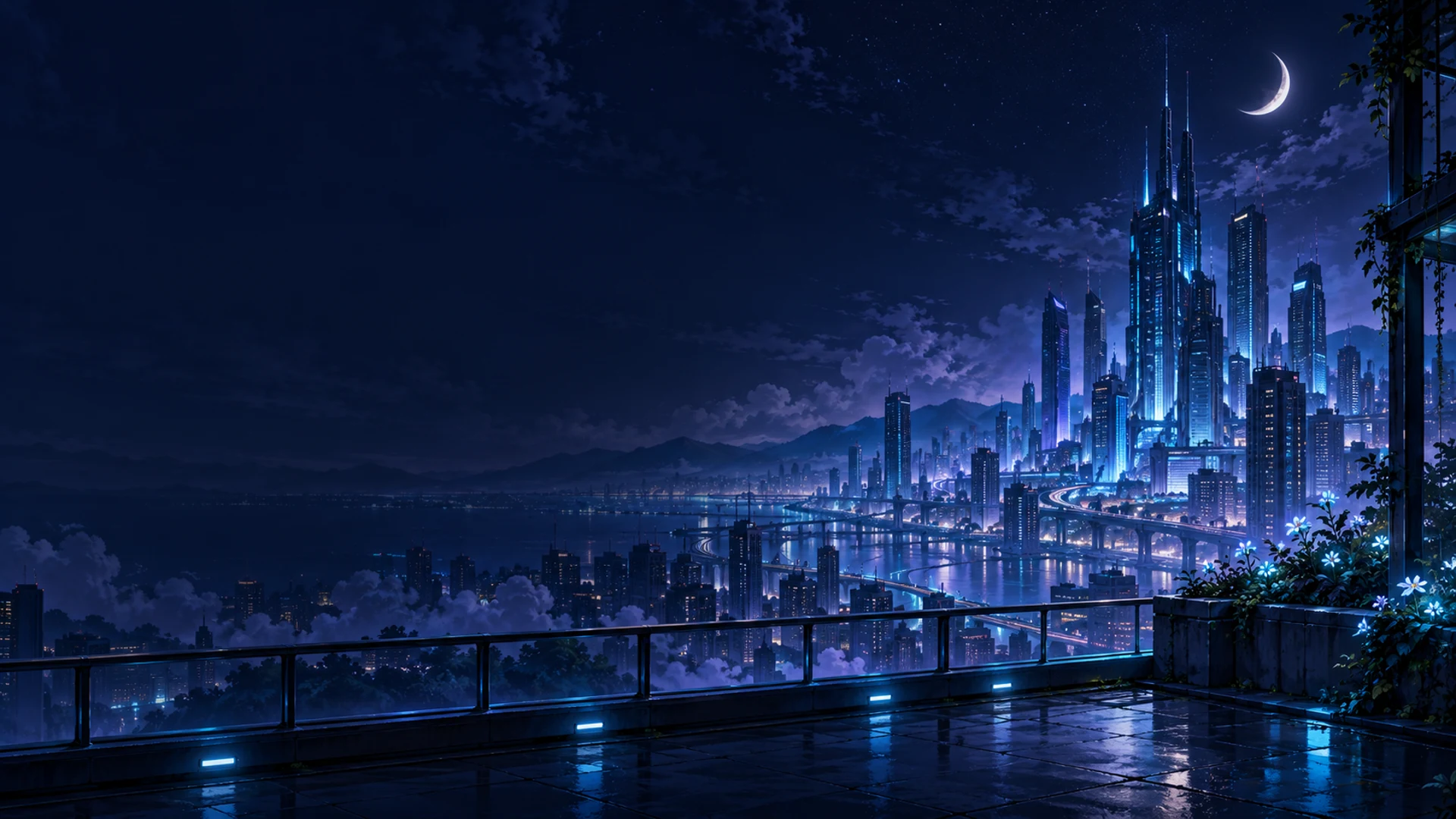
An overlay is a graphic layer over your broadcast: a frame, text, or a timer. Midnight Signal is designed for streams where the creator studies, codes, draws, or works on animation alongside viewers. You set the work and break durations, and the Focus room displays the current phase, round number, and your three goals.
For example: 25 minutes for one task and a 5-minute break. Or 50/10 for longer work sessions. This sets the rhythm of your stream, not a guarantee of productivity. After the final work round, the session ends without an additional break.
The kit is created as a practical digital product of Vibe Coding: the background is AI-generated, while the editor and logic are implemented via code. The images are not videos; motion is added through software effects that can be turned off.
Full-screen scenes with your text, channel name, and color accent.
Transparent elements to overlay on your own scene. The checkerboard pattern in the editor indicates transparency.
From 1 to 8 rounds, work from 1 to 120 minutes, break from 1 to 60 minutes. Three goals can be marked as completed.
A single exported HTML contains the design and code. It requires no account, internet, or API key to work. Focus room labels are available in Ukrainian and English.
To prevent the countdown from resetting when switching scenes, disable "Refresh browser when scene becomes active" and "Shutdown source when not visible". Refreshing the file or reloading resets the timer and completed goals. After your computer sleeps, check and restart the session before going live.
The connection method follows the official OBS documentation. The logic and browser preview are verified; actual running of this set in OBS/CEF is not yet confirmed.
In the archive: Starting, Break, Ending, camera frame, timer, Focus room, local editor START-HERE.html, instructions in Ukrainian and English, and terms of use. No registration, payment, or API keys required. Can be used in your own monetized streams.
Download all 6 elements · ZIPOpen all scenes editorDownload timer ZIP
If you use the design, we would appreciate a mention in your stream description, video, or post. This is optional: downloading and using it remains free.
Design and timer: Midnight Signal by Vibe Coding — https://vibe-coding.com.ua/midnight-signal-uk
Scenes can be modified for your own stream. To share, provide a link to this article; do not resell the archive or claim it as your own set. The license is included in the ZIP.
No. The three goals belong to the streamer. There is no chat, accounts, device synchronization, or moderator control.
Its state lives in the open source. Reloading or disabling the source starts a new session. Check both the refresh and shutdown options in the Browser Source properties.
No. When it reaches zero, the set text is displayed. Focus room changes phases within its own design but does not switch OBS scenes. There are no sound signals.
Yes, the entire set can be used and modified for your own streams. Reselling its source files is not permitted. Full terms are in the archive.
Discussion
Share your opinion or ask about the material. Your nickname and comment text will be visible to everyone.
Log in via email
Get a one-time code. No password required.
The code is valid for 10 minutes. Logging in does not subscribe you to the newsletter. Data usage.
Or log in via ChatGPT ↗Loading comments...